What is ROI in Google Shopping?
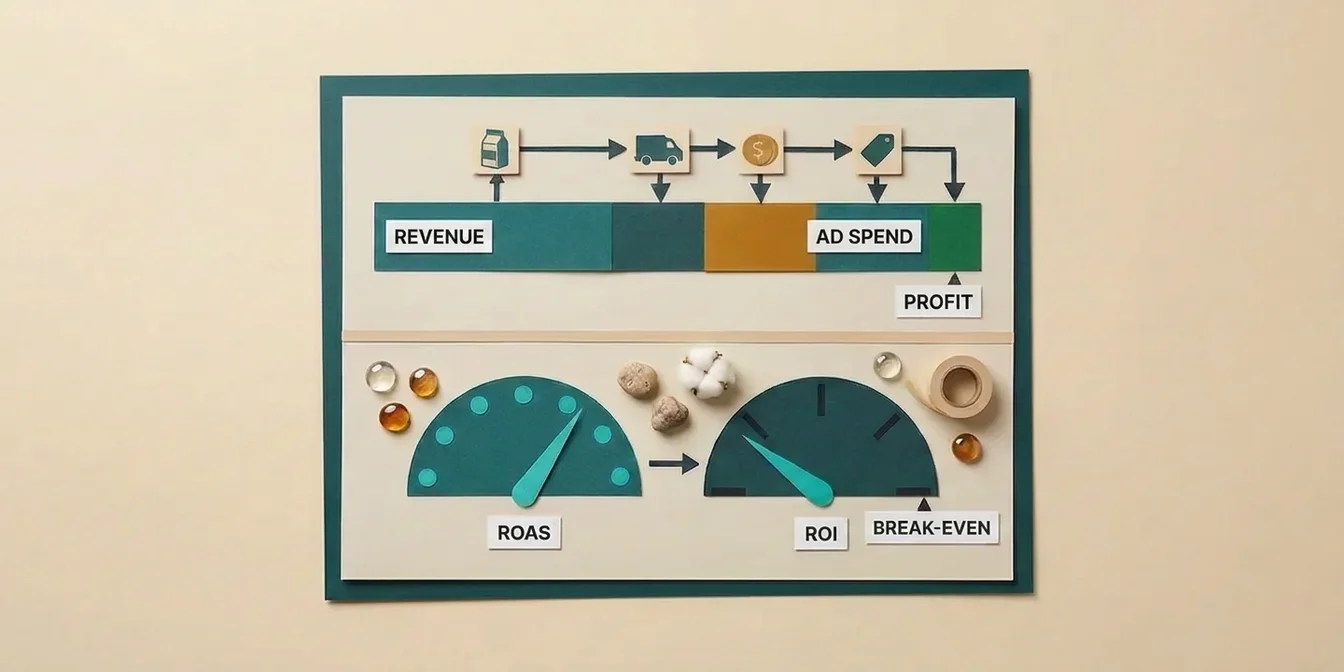
Return on Investment (ROI) in Google Shopping is the net profit of your Shopping campaigns divided by the ad budget spent, expressed as a percentage. The formula is: ROI (%) = ((Revenue × Margin) − Ad Spend) ÷ Ad Spend × 100. Unlike ROAS, which only measures gross revenue per ad dollar, ROI factors in cost of goods, shipping, and processing fees, and therefore shows whether your campaign actually makes money.
That sounds simple, but in practice most merchants systematically conflate ROI and ROAS. They see a 4.0 ROAS in Google Ads and assume the campaign is profitable, even though, at a 20 % margin, the break-even ROAS is 5.0, and they're actually losing $200 for every $1,000 in ad spend.
This guide ends that confusion. You'll learn the three formulas that matter (ROAS, break-even ROAS, target ROAS) with concrete examples, get a 2026 industry benchmark table, and see how feed optimization influences ROI directly, often more than any bid-strategy change.
ROAS vs. ROI: The Distinction That Matters
ROAS and ROI measure different things. ROAS measures gross revenue per ad dollar, ROI measures net profit per ad dollar. Treating them as interchangeable means you're optimizing for the wrong metric, and losing money on every "successful" thin-margin campaign.
| Aspect | ROAS | ROI |
|---|---|---|
| Formula | Revenue ÷ Ad Spend | (Net Profit − Ad Spend) ÷ Ad Spend |
| Includes COGS? | No | Yes |
| Includes shipping & fees? | No | Yes |
| Includes tool costs? | No | Yes (should) |
| Best use case | Day-to-day campaign optimization | Business decisions |
| Typical display | 4:1, 4.0x, 400 % | 25 %, 150 % |
Concrete example: You sell shoe polish at $12. COGS $6, shipping $2, payment processing $0.40. Margin: $3.60 (30 %). You spend $1,000 on Google Shopping and generate $4,000 in revenue.
- ROAS: $4,000 ÷ $1,000 = 4.0, looks great
- Gross profit from margin: $4,000 × 30 % = $1,200
- ROI: ($1,200 − $1,000) ÷ $1,000 × 100 = 20 %
The ROAS suggests a successful campaign. In reality, you make $200 after ad spend, before tool costs, taxes, and returns. At a 10 % return rate, you're underwater.
Which metric for which decision?
| Use case | Recommended metric |
|---|---|
| Day-to-day: bid adjustments, negatives, Pmax tuning | ROAS |
| Weekly campaign review | ROAS + Break-Even check |
| Monthly P&L reporting | ROI |
| Investment decision: new feed tool, agency | ROI |
| Cross-channel comparison: Google Shopping vs. Meta vs. SEO | ROI |
As we lay out in our feed management tools comparison 2026, ROI is also the only meaningful yardstick for comparing optimization tools, ROAS alone ignores monthly tool costs.
The most expensive campaigns I've seen in 12 years weren't the ones with bad ROAS, they were the ones with good ROAS and negative ROI. Measure ROAS alone, and you scale your losses with full confidence.
Dennis Gerich, Founder & CEO, FeedOptimizer.AI
The Three Formulas You Actually Need
Three formulas are enough to fully steer Google Shopping ROI: the ROAS formula for the daily grind, the break-even ROAS formula as your pain threshold, and the target ROAS formula as your goal. Once you've computed these three values for your catalog, you can evaluate any campaign in seconds, and decide on data whether an increased bid, a Pmax scale-up, or a feed optimization is the right next step. This clarity is missing for the vast majority of merchants we onboard at FeedOptimizer.AI, and that's exactly where most ad budget gets burned.
1. ROAS, the daily metric
ROAS = Revenue from Ads ÷ Ad Spend
Example: $8,000 revenue at $2,000 spend → ROAS 4.0 (or 400 %). This number is visible directly in Google Ads, Google Analytics 4, and the Merchant Center. It's useful for daily campaign tuning, but says nothing about profit.
2. Break-Even ROAS, the pain threshold
Break-Even ROAS = 1 ÷ Gross Margin
This formula tells you the ROAS at which you stop losing money. Below it, every sale subsidizes Google's bank account.
| Gross Margin | Break-Even ROAS | Meaning |
|---|---|---|
| 60 % | 1.67x (167 %) | Comfort zone for high-margin brands (beauty, jewelry) |
| 50 % | 2.00x (200 %) | Solid standard for private labels |
| 40 % | 2.50x (250 %) | Mid-market retail, mixed catalogs |
| 30 % | 3.33x (333 %) | Typical for fashion & lifestyle |
| 25 % | 4.00x (400 %) | Tight, electronics, resellers |
| 20 % | 5.00x (500 %) | Narrow, wholesale, commodity products |
| 15 % | 6.67x (667 %) | Critical, only with high volume |
| 10 % | 10.00x (1,000 %) | Practically unreachable via paid ads |
Painful but true: According to common 2026 industry benchmarks, the average ROAS blended across all channels is around 2.9, trending down year-over-year; for Google Shopping specifically, values typically fall between 3.0 and 5.0x. Anyone running Google Shopping with under 35 % gross margin is heading into negative territory fast without feed optimization.
3. Target ROAS, the profitable target
Target ROAS = 1 ÷ (Gross Margin − Desired Profit Margin)
This formula requires a conscious decision: how much profit do you want to keep per sale after ad costs?
Example: 45 % gross margin, 15 % desired profit.
- Target ROAS = 1 ÷ (0.45 − 0.15) = 1 ÷ 0.30 = 3.33x
At a target ROAS of 3.33, every $1 of ad spend returns $3.33 in revenue, of which 15 % stays as profit, solid profit without burnout. This is exactly the value to feed into Pmax and Smart Bidding.
Worked Example: A Mid-Sized Outdoor Shop Does the Math
Theory is fine, practice is better. Here's the full calculation for a mid-sized outdoor shop with a $1,000 monthly Google Shopping budget. This template works for any store, just plug in your numbers.
Step 1: Establish a clean gross margin
| Line item | Amount per sale |
|---|---|
| Sell price (net) | $89.00 |
| − COGS | $38.00 |
| − Shipping to customer | $4.90 |
| − Packaging | $0.80 |
| − Payment processing (2 %) | $1.78 |
| − Return cost (allocated, 8 %) | $3.80 |
| = Gross margin ($) | $39.72 |
| = Gross margin (%) | 44.6 % |
The $3.80 isn't 8 % of the sale price, it's the store's return rate (8 %) multiplied by the fully loaded cost of an actual return (COGS plus reverse shipping, roughly $47.50 here). For your own catalog, swap in both numbers, the return rate and the fully loaded return cost, not just the percentage.
Step 2: Set the break-even ROAS
Break-Even ROAS = 1 ÷ 0.446 = 2.24x
Below a ROAS of 2.24, the shop loses money on every sale.
Step 3: Target ROAS with 10 % desired profit
Target ROAS = 1 ÷ (0.446 − 0.10) = 1 ÷ 0.346 = 2.89x
This value goes into Pmax and Smart Bidding as the target.
Step 4: ROI after one month
| Metric | Value |
|---|---|
| Ad Spend | $1,000 |
| Clicks (at $0.75 CPC) | 1,333 |
| Conversion Rate | 2.0 % |
| Orders | 27 |
| Average Order Value | $89 |
| Revenue | $2,403 |
| ROAS | 2.40x |
| Gross profit at 44.6 % margin | $1,072 |
| ROI = ($1,072 − $1,000) ÷ $1,000 | +7.2 % |
The shop is barely above break-even (2.24x) and below target (2.89x). Net of ad spend: $72 on $1,000 of spend. Not a disaster, but not a scalable story either. This is where feed optimization comes in, if the shop lifts CTR from 1.0 % to 1.4 % (a typical Home & Garden industry average), the same budget delivers around 533 additional clicks and ~$423 in additional gross profit per month without any budget increase.
2026 Google Shopping Benchmarks
To know where you stand, you need reference points. The following ranges are informed by several current 2026 reports from the Google Ads agency space. Individual figures from these sources vary noticeably by category and aren't independently verified, so treat these as directional ranges rather than exact values.
Industry ROAS Benchmarks 2026
| Industry | Average ROAS | Top-Quartile ROAS |
|---|---|---|
| Health & Beauty | 6.0–8.0x | 9.0x+ |
| Home & Garden | 4.5–6.0x | 7.5x |
| Fashion & Apparel | 3.5–4.5x | 5.5x |
| Sports & Outdoor | 3.5–4.5x | 5.5x |
| Furniture & Home | 3.0–4.0x | 5.0x |
| Electronics | 3.0–4.0x | 5.0x |
| Auto Parts | 2.5–3.5x | 4.5x |
| Pet Supplies | 5.0–7.0x | 8.5x |
General Performance Benchmarks 2026
| Metric | Industry Average | Top Performers |
|---|---|---|
| Click-Through-Rate (CTR) | 0.86 % | above 1.5 % |
| Conversion Rate (CR) | 1.91 % | 4–7 % |
| Cost-per-Click (CPC) | $0.66 global | $1.20+ Electronics |
| Average Order Value (AOV) | category-dependent | , |
Interpretation: A Shopping CTR below 0.5 % is almost always an image or title problem, not a bid problem, and our guide to improving Google Shopping CTR covers exactly these levers in detail. Keyword-based titles noticeably improve CTR compared to brand-based titles in feed optimization practice, often in the 40–60 % range. We've covered title structure in depth in our Google Shopping title optimization guide.
How Feed Optimization Directly Affects ROI
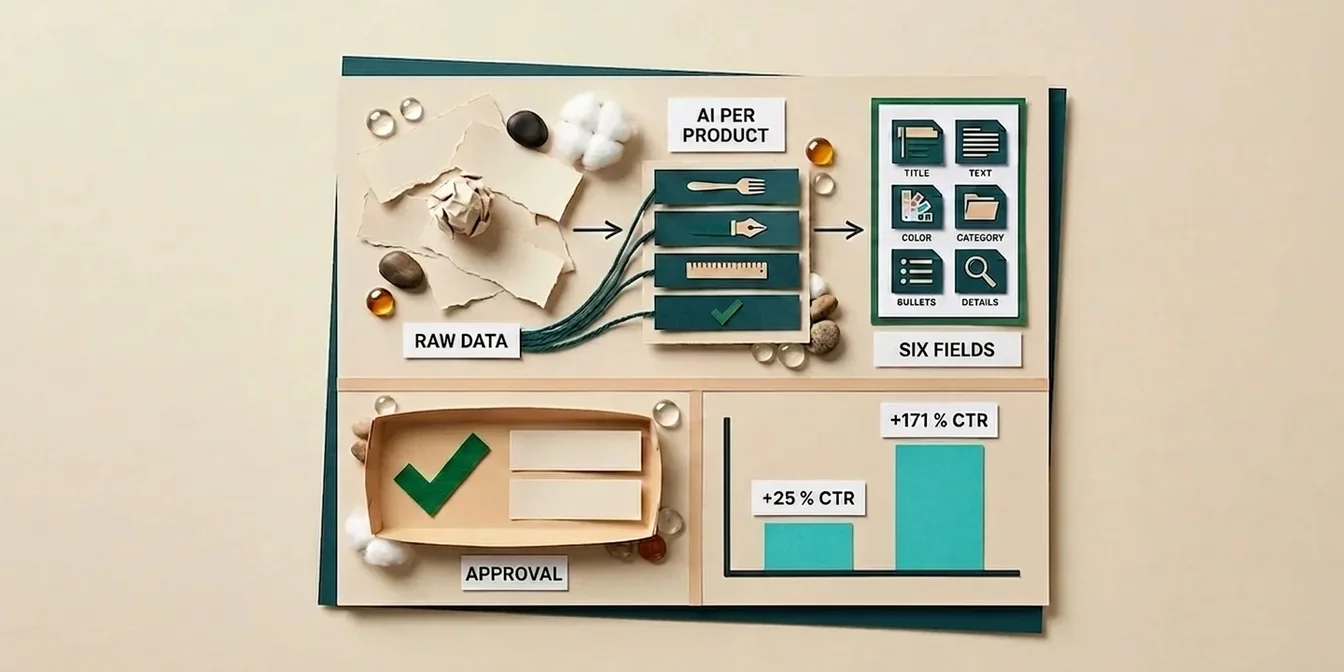
Most merchants try to grow ROI through bids, Pmax asset groups, or new audiences, and ignore the biggest lever: the feed itself. Feed quality is the only factor that simultaneously improves CTR, conversion rate, and impression share without increasing your budget. That makes feed optimization the ROI lever with the best cost-benefit ratio in the entire Shopping stack. Based on our client experience so far, we frequently see a noticeable ROI improvement at FeedOptimizer.AI within the first eight weeks of onboarding, without changing ad spend.
Lever 1: Title optimization → higher CTR
In feed optimization practice, keyword-first titles (e.g., "Waterproof Men's Hiking Shoes Salomon X Ultra 4 Gore-Tex") often achieve 40–60 % higher CTRs than brand-first titles ("Salomon X Ultra 4"). Higher CTR means more clicks at the same spend, that's reach without a budget increase. The reason often comes down to unused space: our analysis of 324,000 product titles shows the average title uses only 65 of the 150 available characters, leaving more than half the matching potential on the table.
ROI impact: At $1,000 budget and $0.75 CPC, clicks grow from 1,333 to roughly 2,000. With the same conversion rate, revenue rises by roughly 50 %.
Lever 2: GTIN completeness → better auctions
According to Google's own Merchant Center data, correctly populated GTINs lead to 20 % more clicks on average. Feed gaps cost you the auction against competitors with complete data.
Lever 3: Descriptions → better query matching
An optimized product description influences which search queries your product shows up for. Long-tail keywords in the description capture searches the title alone cannot serve, increasing impression share with buy-ready users, which directly lifts conversion rate. We've covered this in detail in our guide to optimizing Google Shopping product descriptions.
Lever 4: Supplemental Feed → fast A/B testing
A supplemental feed lets you test optimized titles or descriptions risk-free, the original feed stays untouched. This is the prerequisite for actually measuring ROI improvements (control group vs. optimized group).
Summary: Lever effect on ROI
| Lever | Typical CTR effect | Typical ROI effect | Timeframe |
|---|---|---|---|
| Keyword-first titles | +40–60 % | +20–35 % | 2–4 weeks |
| Close GTIN gaps | +20 % | +10–15 % | 1–2 weeks |
| Description optimization | indirect | +15–25 % | 4–8 weeks |
| Supplemental A/B | measurable | prerequisite for optimization | immediate |
Based on typical feed optimization experience, most merchants see positive ROI within 4–8 weeks of feed optimization, an effect that works independently of Pmax tuning or bid adjustments.
The Most Common ROI Calculation Mistakes
The ROI formula looks simple, but in practice systematic errors creep in. Making any of these five mistakes means believing in an ROI that doesn't exist, and scaling campaigns that are actually destroying money. The points below are the ones we most frequently correct in client work before we even begin the real optimization. They have nothing to do with the Google Shopping channel itself, they're about the bookkeeping discipline of your inputs.
Mistake 1: Returns are ignored
Returns eat margin. Fashion stores often have 30–50 % return rates; the overall e-commerce average is closer to 19–20 % (electronics runs lower, around 8–10 %). Calculating ROI without subtracting returns massively overstates profit. Correct: Compute gross margin only after the expected, category-specific return rate.
Mistake 2: Tool costs are missing from the denominator
A complete ROI must cover all direct investments, ad spend plus tool costs (feed management, tracking, agency). Counting only ad spend compares apples to oranges.
Mistake 3: Gross margin is confused with net margin
Gross margin is (Revenue − COGS) ÷ Revenue. It ignores fixed costs like rent, staff, and software. It's the correct input for break-even ROAS, but it isn't your "real" profit. Planning with gross margin and reporting net at month-end leads to nasty surprises.
Mistake 4: Attribution window is too short
Google Shopping uses a default 30-day click attribution window. If your sales cycle is longer (B2B, furniture, premium electronics), you systematically understate ROI. Correct: Extend the attribution window in Google Ads to 60–90 days if your catalog justifies it.
Mistake 5: ROAS target follows competitors instead of margin
"My competitor runs at 5x ROAS, so I aim for 5x." Wrong. Your target ROAS is a mathematical function of your margin, not the market's. With 60 % margin you can scale profitably at 2.5x ROAS, while a competitor at 20 % margin loses money at 4x.
Tools for ROI Calculation
You don't need expensive software to compute Google Shopping ROI properly, Excel or Google Sheets is enough. Always combine three building blocks:
- Google Ads / Pmax reporting, supplies ad spend, clicks, conversions, ROAS per campaign
- Google Analytics 4, adds multi-channel attribution and actual revenue
- Your own sheet, calculates margin, returns, tool costs, and from these the real ROI
Minimum columns in your ROI sheet
| Column | Example value |
|---|---|
| Month | May 2026 |
| Ad Spend | $1,000 |
| Tool costs | $49 |
| Gross revenue | $4,000 |
| Return rate | 8 % |
| Net revenue | $3,680 |
| Gross margin % | 44.6 % |
| Gross profit | $1,641 |
| ROI % | 57 % |
| ROAS | 4.00x |
| Break-Even ROAS | 2.24x |
| Target ROAS | 2.89x |
Update this sheet weekly. Whenever ROAS falls below target, optimize, either the feed, the bids, or the assortment. Whenever it's clearly above, scale.
Don't just model it, measure it: and compare CTR and clicks before and after in your own account.
Frequently Asked Questions
What is a good ROI for Google Shopping?
A "good" ROI depends entirely on your margin. Rule of thumb: anything above 20 % ROI after ad spend is solid, 50 %+ ROI is excellent. Scaling at positive ROI with a gross margin below 30 % already puts you ahead of many competitors running thin margins.
How does ROI differ from ROAS?
ROAS measures gross revenue per ad dollar (Revenue ÷ Ad Spend); ROI measures net profit per ad dollar after all costs ((Profit − Spend) ÷ Spend × 100). A ROAS of 4.0 can mean +50 % ROI or −10 % ROI depending on your margin. ROAS is the daily metric for bid optimization; ROI is the business metric for strategic decisions.
How do I calculate my break-even ROAS?
Break-Even ROAS = 1 ÷ Gross Margin. At a 50 % margin you need a ROAS of 2.0; at 25 % margin a ROAS of 4.0. Below this value you lose money on every product sold. Important: gross margin must be calculated after returns, payment fees, and shipping, not just (price − COGS).
What target ROAS makes sense in Pmax?
Set your target ROAS to 1 ÷ (Gross Margin − Desired Profit Margin). At 45 % margin and 10 % desired profit that's 2.86x. Don't set it too aggressively, Pmax needs learning room. Start 10–20 % below your theoretical maximum and increase it weekly.
How quickly does feed optimization improve ROI?
Based on typical feed optimization experience, most merchants see positive ROI effects within 4–8 weeks of feed optimization, fastest on title optimization (2–4 weeks) and GTIN corrections (1–2 weeks). Important: test optimizations through a supplemental feed so you can measure the control group cleanly.
Conclusion: ROI Clarity Is the Foundation of Every Scale
If you can't compute your Google Shopping ROI cleanly, you're optimizing blind. Three formulas, a gross margin that includes returns, and an Excel sheet, that's all it takes to turn "the campaign is running" into a founded decision.
The 5 most important takeaways:
- ROAS ≠ ROI, ROAS is the daily metric, ROI is the business metric. Never confuse them.
- Break-Even ROAS = 1 ÷ Margin, know yours before you scale Pmax.
- Target ROAS = 1 ÷ (Margin − Desired Profit), this number belongs in Smart Bidding.
- Returns and tool costs belong in every calculation, otherwise ROI lies.
- Feed optimization is the ROI lever with the best cost-benefit ratio, ahead of bid tuning, ahead of Pmax restructuring.
Once you know these values for your catalog, the next question isn't "is the campaign running?", it's "where is the next 10 % improvement cheapest?" And the answer is almost always: in the feed.