Why Your Product Title Is the Single Most Important Factor in Google Shopping
Google Shopping works fundamentally differently from organic search. There are no meta tags, no backlinks, no on-page content for Google to evaluate. The product title is the most important factor that determines whether your product appears for relevant search queries, and whether anyone clicks on it.
The data is clear:
| Optimization | Result | Source |
|---|---|---|
| Exact search query match in title | +88% CTR | Search Engine Land |
| Keyword-rich titles | +18% CTR | Search Engine Land |
| Title optimization (category keywords added) | +147% impressions, +67% clicks | Store Growers |
| AI-generated titles (United RV case study) | +44% conversion rate in 2 weeks | DataFeedWatch |
| Systematic feed optimization | +94% conversions | Searchmind/DataFeedWatch |
That means more traffic, more conversions, better ROAS, without spending a single extra cent on ads. Product titles are the most cost-effective lever you have in Google Shopping.
How much of that lever sits unused shows in our own database: across 799,640 products from 118 feeds (as of 11 September 2026), the merchant's title averages 52 characters. For the 247,493 of them that FeedOptimizer.AI has optimized, the optimized title averages 136 characters, and in 99.7% of cases it is longer than the original. Two thirds of the title space Google indexes lies idle in most feeds.
How Google Shopping Uses Titles for Matching
Google indexes the entire title, all 150 characters. Even the invisible portion (beyond character 70) helps Google match your product to the right search queries. Here's how matching works:
- The full title is indexed, all 150 characters participate in query matching
- Front-loaded keywords carry more weight, Google prioritizes the first words in the title
- Exact matches dramatically boost CTR, when the title contains the exact search query, CTR increases by up to +88%
Your product title also affects your Ad Rank: in the ad auction, Google factors in your bid alongside how relevant and click-worthy your ad is likely to be. Shopping campaigns don't use a classic Quality Score the way Search ads do, but expected click likelihood still feeds into ad quality. Google doesn't publish an exact Ad Rank formula, but the relationship is clear:
Better titles → higher expected relevance → better Ad Rank → lower cost-per-click at the same position. In Performance Max campaigns, where you have less manual control over bidding, the product title is your most effective optimization lever.
Bad titles cost more than bad bids, I learned that over 12 years managing $10M+ in ad spend.
Dennis Gerich, Founder & CEO, FeedOptimizer.AI
Before you rebuild a single title, it is worth knowing which of yours are actually costing you. The free feed check scores the title of every product in your feed and shows the ones that stop far short of the 150 characters Google indexes, which is where the formulas in this guide pay off fastest.
The Anatomy of a Perfect Google Shopping Title
Google's Guidelines: What You Need to Know
| Parameter | Value |
|---|---|
| Maximum character length | 150 characters |
| Visible in Shopping Ads | ~70 characters (varies by device and screen size) |
| Recommended effective length | 70 characters for the most important info |
Prohibited in product titles:
- Promotional text like "Free Shipping" or "Special Offer"
- Price information or discounts
- ALL CAPS for emphasis (brand acronyms are fine)
- Emojis or decorative special characters
- Time-sensitive info like "Sale Ends Friday"
- Your store name instead of the manufacturer's brand
Important: Resellers must use the manufacturer's brand name, not their own store name. This applies to all Merchant Center accounts globally, regardless of product category.
The Golden Formula
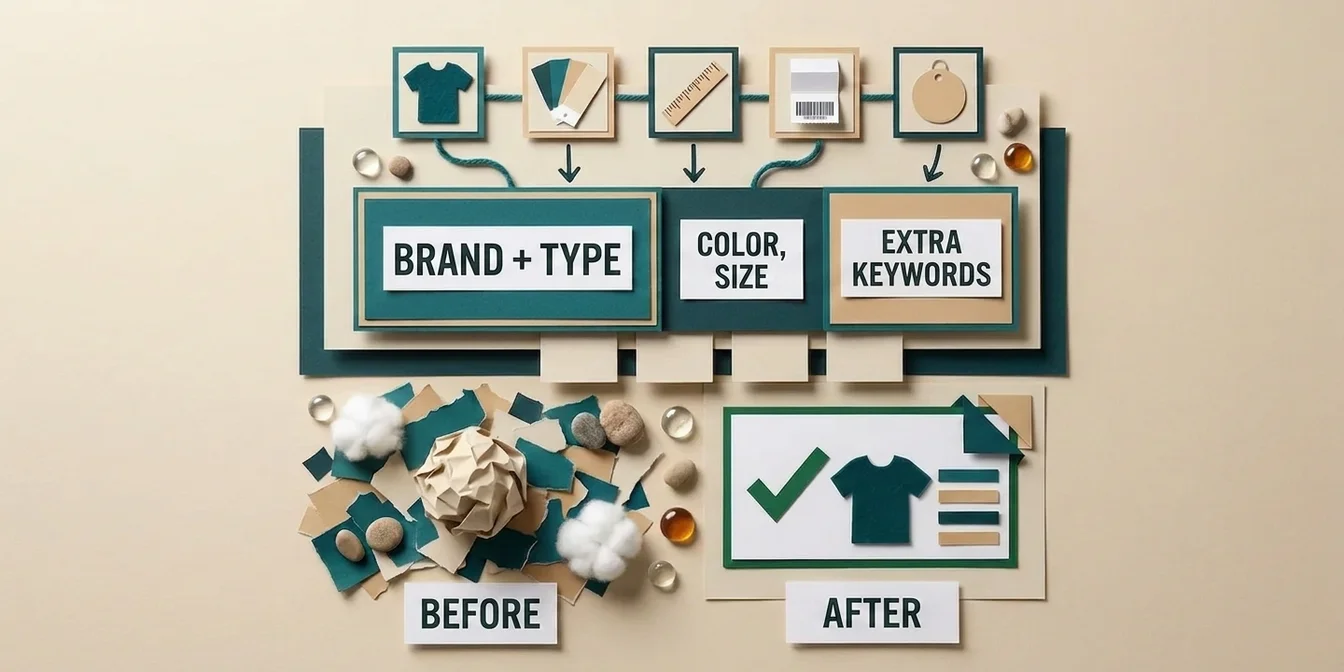
Brand + Product Type + Key Attributes (Color, Size, Material)
This base formula adapts by industry. What matters is the order: the most important information goes first because Google gives more weight to the first words, and on smaller screens often fewer than 70 characters are visible.
The 3 Zones of Your Title:
| Zone | Characters | Purpose |
|---|---|---|
| Zone 1 (critical) | 1–50 | Brand + product type + key differentiator. Must work on the smallest mobile device. |
| Zone 2 (important) | 51–70 | Additional attributes like color, size, material. Visible on desktop. |
| Zone 3 (invisible but indexed) | 71–150 | Additional keywords for query matching. Not visible, but Google uses them. |
Title Structures by Industry: Formulas and Before/After Examples
Different product categories require different title structures. Here are proven formulas with concrete examples for each industry.
How big the gap between industries actually is shows up in a data analysis of 831,000 products: in raw, unoptimized form, toys and games score 74.3 out of 100 quality points, while auto parts sit at just 19.0. The formulas below are the lever for closing that gap.
Fashion and Apparel
Formula: Brand + Gender + Product Type + Material/Feature + Color + Size
Fashion is extremely attribute-driven. Yet many apparel titles skip color, and size is left out even more often, that's a massive missed opportunity.
| Before (poor) | After (optimized) |
|---|---|
| Running Shoe Men's | Nike Air Zoom Pegasus 41 Men's Running Shoe Black Mesh Size 10 |
| T-Shirt White | Tommy Hilfiger Men's T-Shirt Regular Fit 100% Cotton White XL |
| Winter Jacket Women's | The North Face Women's Thermoball Eco Jacket Waterproof Black M |
| Jeans Blue | Levi's 501 Original Fit Men's Jeans Dark Wash 32x30 Cotton |
Attribute priorities for fashion:
- Brand (high brand loyalty)
- Gender / age group
- Product type (specific: "ankle boots" not just "shoes")
- Color
- Size
- Material / fabric
- Fit type (regular, slim, relaxed)
Electronics and Tech
Formula: Brand + Product Type + Model Number + Technical Specs + Key Feature + Color/Variant
In electronics, customers search extremely specifically, often for exact model numbers. An analysis of 151 top-performing shopping ads across industries found that 16% of titles include MPN or SKU numbers for exact product matching, a tactic that pays off especially well in electronics.
| Before (poor) | After (optimized) |
|---|---|
| Sony Headphones | Sony WH-1000XM5 Wireless Over-Ear Headphones Noise Cancelling Black |
| Samsung Phone | Samsung Galaxy S24 Ultra 256GB Titanium Black 6.8" AMOLED Unlocked |
| Apple Laptop | Apple MacBook Pro 14" M3 Pro Chip 18GB RAM 512GB SSD Space Black |
| Bluetooth Speaker | JBL Charge 5 Portable Bluetooth Speaker Waterproof IP67 20h Battery Blue |
Attribute priorities for electronics:
- Brand + model number (critical for electronics searches)
- Product type
- Key technical specs (storage, RAM, screen size)
- Connectivity / special features
- Color / edition
- Compatibility
Furniture and Home
Formula: Brand + Product Type + Material + Style + Color/Finish + Dimensions
Dimensions are non-negotiable for furniture.
| Before (poor) | After (optimized) |
|---|---|
| Coffee Table Wood | West Elm Coffee Table Walnut Wood Mid-Century Modern 48x24 inch |
| Dining Table | Ashley Furniture Rectangular Dining Table Solid Oak Natural 71x35 inch 6-Seater |
| Shelf Unit White | IKEA KALLAX Shelf Unit White 30x57 inch 8 Compartments Storage |
| Desk Lamp | Artemide Tolomeo LED Desk Lamp Aluminum Dimmable Silver 17 inch |
Attribute priorities for furniture:
- Product type (specific: "3-seater sofa" not just "sofa")
- Material (wood type, fabric type)
- Dimensions (always include for furniture)
- Style (mid-century, Scandinavian, industrial)
- Color / finish
- Brand
- Room designation (living room, bedroom)
Food, Grocery, and Drugstore
Formula: Brand + Product Name + Flavor/Variety + Size/Weight + Pack Count + Special Attributes
For grocery items, quantity/weight is THE key differentiator. Shoppers compare price per unit, without a quantity, there's no meaningful comparison.
| Before (poor) | After (optimized) |
|---|---|
| Ground Coffee | Lavazza Qualita Oro Ground Coffee Medium Roast 100% Arabica 8.8oz |
| Organic Oats | Bob's Red Mill Organic Rolled Oats Whole Grain 32oz Gluten-Free |
| Diapers Size 4 | Pampers Premium Protection Diapers Size 4 (20-31 lbs) 174 Count Monthly |
| Olive Oil | Bertolli Extra Virgin Olive Oil Cold Pressed Italian 16.9 fl oz |
Attribute priorities for grocery:
- Brand (strong brand loyalty in FMCG)
- Product name / type
- Flavor / variety / scent
- Size / weight / volume (critical)
- Pack count / multipack info
- Dietary attributes (organic, gluten-free, vegan)
- Origin / ingredients
Sports and Outdoor
Formula: Brand + Product Type + Activity + Feature + Size/Variant
Sports is one of the most brand-driven categories. Yet many sports titles are missing demographic attributes like gender or age group, an easy gap to close.
| Before (poor) | After (optimized) |
|---|---|
| Women's Running Shoes | Adidas Ultraboost 22 Women's Running Shoes Cloud White Mesh Size 8 |
| Hiking Jacket | The North Face Women's Hiking Jacket Waterproof Gore-Tex Black M |
| GPS Sport Watch | Garmin Fenix 7 Pro Solar GPS Multisport Watch 47mm Slate Grey Sapphire |
| Yoga Mat | Manduka PRO Yoga Mat 6mm Natural Rubber Black 71x26 inch Non-Slip |
Attribute priorities for sports:
- Brand (highly brand-driven)
- Product type
- Activity-specific keywords (running, hiking, cycling)
- Gender / age group
- Technical features (waterproof, breathable, UV protection)
- Size / variant
- Color
Garden and DIY
Formula: Brand + Product Type + Specification + Material + Dimensions/Quantity + Application
For DIY and garden, customers search by technical specifications. Power ratings (volts, watts, RPM) are crucial differentiators.
| Before (poor) | After (optimized) |
|---|---|
| Cordless Drill | Bosch PSR 1800 LI-2 Cordless Drill 18V 2-Speed Lithium-Ion with Case |
| Garden Hose 100ft | Gardena Classic Garden Hose 100ft 1/2" Flexible Pressure-Resistant PVC |
| Lawn Mower | Gardena PowerMax 1800/42 Electric Lawn Mower 1800W 17" Cutting Width |
| Gas Grill | Weber Spirit E-310 Gas Grill 3-Burner Stainless Steel Black 32,000 BTU |
Attribute priorities for garden/DIY:
- Product type (very specific: "cordless drill" not "power tool")
- Technical specifications (voltage, wattage, dimensions)
- Brand
- Material
- Size / capacity / length
- Power source (cordless, electric, gas)
Beauty and Cosmetics
Formula: Brand + Product Line + Product Type + Benefit/Ingredient + SPF/Feature + Size
Beauty shoppers frequently compare price per milliliter. Without a size, you lose these buyers. Keywords like "vegan," "cruelty-free," and "clean beauty" convert above average.
| Before (poor) | After (optimized) |
|---|---|
| Face Cream | La Roche-Posay Effaclar Duo+ Moisturizer Acne-Prone Skin SPF30 1.35 fl oz |
| Maybelline Foundation | Maybelline Fit Me Matte Foundation Light Coverage Shade 120 1 fl oz |
| Serum | The Ordinary Niacinamide 10% + Zinc 1% Serum Pore-Refining 1 fl oz |
| Shampoo | Kérastase Bain Fluidealiste Shampoo Unruly Hair Sulfate-Free 8.5 fl oz |
Attribute priorities for beauty:
- Brand (extremely brand-driven)
- Product line / collection
- Product type
- Key benefit / skin concern (anti-aging, acne-prone, dry skin)
- Key ingredients (hyaluronic acid, retinol, niacinamide, SPF)
- Size in fl oz or oz (very important)
- Shade / variant
- Certifications (vegan, cruelty-free, clean)
Quick Reference: Title Formulas by Industry
| Industry | Formula |
|---|---|
| Fashion & Apparel | Brand + Gender + Product Type + Material + Color + Size |
| Electronics & Tech | Brand + Product Type + Model + Specs + Feature + Color |
| Furniture & Home | Brand + Product Type + Material + Style + Color + Dimensions |
| Food & Grocery | Brand + Product Name + Variety + Size + Pack Count |
| Sports & Outdoor | Brand + Product Type + Activity + Feature + Size |
| Garden & DIY | Brand + Product Type + Specification + Material + Dimensions |
| Beauty & Cosmetics | Brand + Product Line + Product Type + Benefit + Size |
| Baby & Toddler | Brand + Product Name + Age Range + Feature + Color |
| Toys & Games | Brand + Product Name + Age Range + Theme + Feature |
| Pet Supplies | Brand + Product Name + Animal Type + Feature + Size |
10 Best Practices for Product Titles That Convert
1. Always Lead with the Brand
The brand is a purchase decision factor in most industries. Google gives more weight to the first words in the title. 81% of top performers use different titles in their feed versus their website, optimized specifically for Shopping queries.
2. Think Like Your Customer
What would your customer type into Google? Not "Women's Polyester-Cotton Blend Upper Body Garment," but "Women's Winter Jacket Waterproof." Use the exact terms your target audience actually searches for.
3. Don't Skip Key Attributes
Many apparel titles include neither color nor size. This means: if you add color and size to your fashion titles, you're automatically better positioned than a large share of your competition.
4. Use the 150-Character Limit Strategically
Google displays only ~70 characters but indexes all 150. Yet 74.18% of advertisers don't use the space beyond character 70. Front-load the critical info in the first 70 characters, then fill the remaining 80 with additional keywords for query matching.
Just how large that effect is in practice shows up in an analysis of 324,000 product titles: on average, the titles studied used just 65 of 150 characters, and after optimization the average quality score rose from 61.6 to 96.1 points.
5. Eliminate Unnecessary Information
Prices, shipping costs, ALL CAPS, and special characters don't belong in the title. They violate Google's policies and can lead to product disapproval, and a disapproved product gets zero impressions and zero clicks.
6. Use Seasonal Keywords Strategically
"Winter Jacket," "Christmas Gift," "Summer Sandals", seasonal terms can massively boost relevance during peak periods. But remove them after the season, or relevance drops.
7. Use Digits Instead of Spelled-Out Numbers
97% of top performers use digits instead of spelled-out numbers. "8GB" instead of "eight gigabytes," "16.9oz" instead of "sixteen point nine ounces." Digits save characters and match actual search behavior.
8. Customize Title Structure by Category
A t-shirt needs different attributes than a laptop. Create category-specific title templates, the formulas in the previous section are your starting point. Using the same structure across all categories is one of the most common mistakes.
9. Leverage Performance Data: The Search Terms Report
The Search Terms Report in Google Ads is a goldmine. It shows which queries actually drive conversions. Find the gaps: search terms generating sales where titles lack the matching keywords. Add those keywords strategically.
10. A/B Test with Supplemental Feeds
Don't optimize blindly. Split your inventory into control and test groups, change titles only for the test group via a supplemental feed, and measure results after 2–4 weeks. That's how you know what actually works.
Common Mistakes, and How to Avoid Them
Mistake 1: Using Manufacturer Titles As-Is
The problem: Manufacturer titles are built for B2B catalogs or internal use. "ART-NR-7892-BLK-SHOE-SPORT" is not a Shopping title.
The impact: 81% of top performers deliberately use different titles in their feeds than on their product pages. Feed titles must be optimized for Shopping queries, website titles for SEO.
The fix: Create dedicated feed titles. Use brand + product type + the attributes customers actually search for.
Mistake 2: Keyword Stuffing
The problem: "Shoes Men Sneakers Trainers Sports Shoes Casual Running Black" isn't helpful, it's spam.
The impact: Lower CTR, worse relevance scores, potential disapproval by Google. Google's AI detects spammy titles.
The fix: Natural-reading titles with strategically placed keywords outperform stuffed titles. Less is more.
Mistake 3: Missing Attributes
The problem: A "T-Shirt" without brand, color, and size won't appear for any specific search query.
The impact: Many apparel titles include neither color nor size. These titles miss every query like "red women's t-shirt size M."
The fix: Systematically add color, size, material, gender, and age group to every applicable title.
Mistake 4: One Structure for All Categories
The problem: The same structure for electronics and fashion doesn't work. Electronics need model numbers and specs, fashion needs color and size.
The fix: Use the industry-specific formulas from this guide. Different categories need different templates.
Mistake 5: ALL CAPS and Promotional Text
The problem: "BEST QUALITY LEATHER SHOES, FREE SHIPPING!!!"
The impact: Immediate disapproval by Google Merchant Center. Disapproved products receive zero impressions.
The fix: Normal capitalization only. No promotional claims. No special characters.
Mistake 6: Ignoring Search Terms Data
The problem: Titles based on assumptions rather than actual search behavior.
The impact: Products are shown for the wrong queries, or not shown at all.
The fix: Regularly analyze the Search Terms Report. Identify queries with high conversion rates and incorporate those keywords into your titles. Exact matches can boost CTR by up to +88%.
Mistake 7: Inconsistency Between Title and Landing Page
The problem: The feed says "Blue Cotton Shirt" but the landing page shows "Navy Dress Shirt."
The impact: Higher bounce rate, potential policy violation and disapproval.
The fix: Feed titles can be optimized, but they must accurately describe the product on the landing page.
Advanced Strategies
The Search Terms Report as Your Secret Weapon
Here's how to use the Search Terms Report for title optimization:
- Open the Insights tab in Google Ads and analyze search terms
- Filter by conversions (descending), these are your most valuable queries
- Check: Do the titles of the matched products contain these converting search terms?
- Identify gaps: queries driving sales where titles don't contain matching keywords
- Add these keywords strategically, ideally at the beginning of the title
Data-backed fact: Exact match between title and search query boosts CTR by +88%.
Performance Max: Why Title Quality Matters Even More
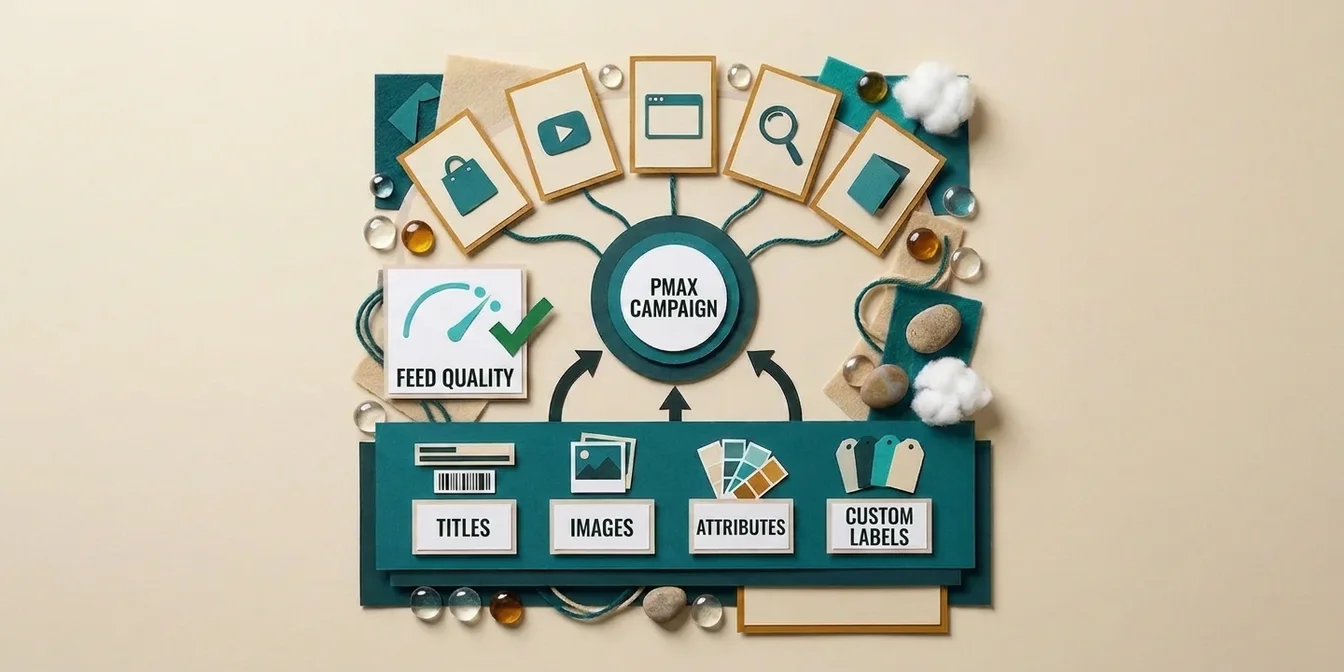
In Performance Max campaigns, your product feed is the single most important input. If PMax is overspending on Display and YouTube instead of Shopping, that's a strong signal of weak feed data.
Better product data → better ads → better performance signals → more Shopping placement. In the pure-bid world where PMax and Shopping compete directly, feed quality is the most cost-effective lever, because it improves Ad Rank without increasing bids.
Supplemental Feeds for Iterative Optimization
Supplemental feeds are the ideal tool for optimizing product titles without touching your main feed:
- Zero risk: Your original feed stays unchanged
- A/B testable: Change titles only for one product group and compare
- Fast: Changes take effect within hours
- Scalable: Optimize thousands of titles simultaneously
Learn more in our Supplemental Feed Guide.
AI-Generated Titles: The structured_title Requirement
Since April 2024, all AI-generated titles must use the structured_title attribute and be flagged with digital_source_type: "trained_algorithmic_media". If you're using a tool like FeedOptimizer.AI for title generation, this is handled automatically.
Checklist: Optimize a Product Title in 5 Minutes
Run through this checklist for every product title:
- Brand at the beginning of the title?
- Product type specific enough? (Not "shoes" but "men's running shoes")
- Color included? (many competitors forget this)
- Size/quantity included? (forgotten even more often than color)
- Material or key specification included?
- Most important info in the first 70 characters?
- Full title uses all 150 characters?
- Digits instead of spelled-out numbers?
- No prohibited content (prices, promotions, special characters)?
- Title matches the landing page?
- Industry-specific formula applied?
- Search Terms Report analyzed and top keywords integrated?
How FeedOptimizer.AI Helps You Scale Title Optimization
Manually optimizing hundreds or thousands of product titles is unrealistic. Every title needs an individual structure, industry-specific attributes, and relevant search terms. That doesn't scale.
FeedOptimizer.AI analyzes each title individually with AI and:
- Identifies the optimal title structure per product category, fashion titles are optimized differently than electronics titles
- Automatically adds relevant attributes, color, size, material, specifications from your feed
- Integrates relevant search terms based on real search data
- Follows Google's guidelines, 150-character limit, no prohibited content, correct formatting
- Handles the
structured_titleattribute automatically with proper AI flagging - Uploads optimized titles as a supplemental feed directly to Merchant Center, your original feed stays untouched
In Practice: What This Looks Like
Imagine you run a fashion store with 2,000 products. Your current titles look like this:
| Current Titles | Optimized by FeedOptimizer.AI |
|---|---|
| White Sneakers | Nike Air Force 1 '07 Men's Sneakers Leather White Size 10 |
| Summer Dress | Zara Women's Midi Summer Dress Floral Print Viscose Blue/White M |
| Black Backpack | Fjallraven Kanken Classic Backpack 16L Vinylon Black 15x10.6x5.1 inch |
Manually optimizing 2,000 titles like this would take weeks. With FeedOptimizer.AI, you have optimized titles as a supplemental feed in minutes, and can revert to the originals at any time.
Compare FeedOptimizer.AI with other tools in our Feed Management Tool Comparison 2026.
Don't want to apply these formulas to thousands of titles by hand? Start with the free feed check and let it tell you which titles are weakest before you change anything.
Frequently Asked Questions
How long can a Google Shopping product title be?
Google allows up to 150 characters per product title, but Shopping ads display only around 70 characters, while the full title is indexed for query matching.
What is the golden formula for Google Shopping product titles?
The golden base formula is Brand + Product Type + Key Attributes such as color, size, or material, with the most important information placed first because Google weights the opening words more heavily.
How much does an exact match between title and search query improve CTR?
According to Search Engine Land, an exact match between product title and search query increases click-through rate by up to 88 percent.
Can I use my own store name instead of the manufacturer's brand in the title?
No, Google's guidelines require resellers to use the manufacturer's brand name instead of their own store name, and this applies to all Merchant Center accounts worldwide.
What does the structured_title attribute mean for AI-generated product titles?
Since April 2024, all AI-generated product titles must use the structured_title attribute and be flagged with digital_source_type: trained_algorithmic_media.
Conclusion: Product Titles Are Your Highest-ROI Lever
Optimized product titles are the most cost-effective action in Google Shopping. They simultaneously improve your CTR, lower your CPC, and boost your ROAS, without additional ad spend.
The 5 key takeaways:
- Use all 150 characters, 74% of your competitors don't. The invisible characters help with query matching.
- Industry-specific formulas instead of one-size-fits-all titles. An electronics title needs different attributes than a fashion title.
- Add color and size, many apparel titles miss these basics. That's your easiest quick win.
- Leverage the Search Terms Report, exact query matches boost CTR by up to 88%.
- Supplemental feeds for testing, optimize iteratively without touching your store system.
Beyond titles, don't forget to optimize your Google Shopping product descriptions, the second most important text attribute in your feed.
The most common feed errors in Google Shopping are easy to avoid once you master these fundamentals.