
What Are Google Shopping Feed Attributes?
Google Shopping feed attributes are the individual data fields you use to describe every product in Google Merchant Center, from id and title to price, gtin, color, and size. They're the language your store uses to talk to Google: the more complete and precise your attributes, the better Google can match your product to the right query and serve it across Shopping ads, free listings, and Performance Max.
Most merchants know only a handful of attributes: title, price, image. But the official product data specification covers 60+ attributes, split into three classes: required, recommended, and category-specific. Fill in only the required fields and you leave reach on the table. Maintain the recommended and category-specific attributes too, and you win impressions, often without spending a dollar more on ads.
Per a Google analysis (published via GS1), a correct GTIN can lift a product's conversion rate by up to 20%. That's not a minor optimization detail. It's the difference between a product that competes in the auction and one that stays invisible.
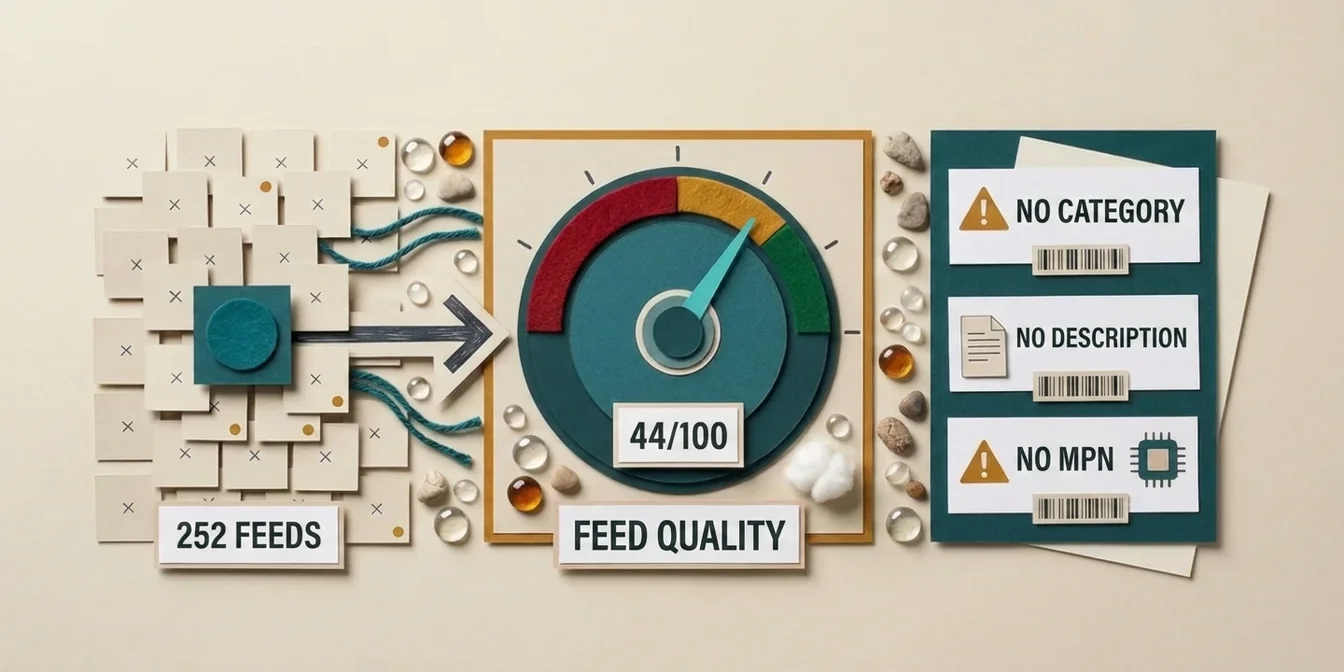
Which of those attributes your own feed actually fills is easy to check before you read on. The free feed check scores every product on attribute completeness and lists the fields left empty, so the guide below turns into a work list instead of a reference you skim.
Required Attributes: The Absolute Minimum
Without these attributes, your product is disapproved. It appears in zero ads. They're the non-negotiable foundation of every feed.
Google requires at least these seven fields for every product:
| Attribute | Field name | Purpose |
|---|---|---|
| Product ID | id | Unique, permanent identifier per product |
| Title | title | Product name (up to 150 chars), top matching signal |
| Description | description | Product text (up to 5,000 chars) for query matching |
| Link | link | URL to the product detail page |
| Image link | image_link | URL to the main product image |
| Price | price | Price with currency (e.g., 49.99 USD) |
| Availability | availability | in_stock, out_of_stock, or preorder |
For most categories, three more attributes are effectively required even though they aren't among the seven universal required fields: brand, gtin, and condition. In fact, Google formally requires brand for all new products (except books, movies, and music), and strongly recommends gtin. Miss the brand or a valid product identifier and Google frequently downgrades your product to "limited" status. It runs, but only in a fraction of the relevant auctions.
In 12 years of running Google Ads, I've never seen a feed fail on the exotic attributes. It's always the basics: a missing GTIN, an empty brand field, a title that's just the SKU. Required fields aren't where the work ends. They're where most merchants stop.
– Dennis Gerich, Founder & CEO, FeedOptimizer.AI
We cover the most common required-attribute pitfalls in depth in the guide to the most common Google Shopping feed errors.
Recommended Attributes: Where Performance Lives
Recommended attributes aren't mandatory, but they decide whether your product is "merely approved" or "competitive." They give Google's matching algorithm extra signals, and those separate the top listings from the middle of the pack.
The most important recommended attributes and why they matter:
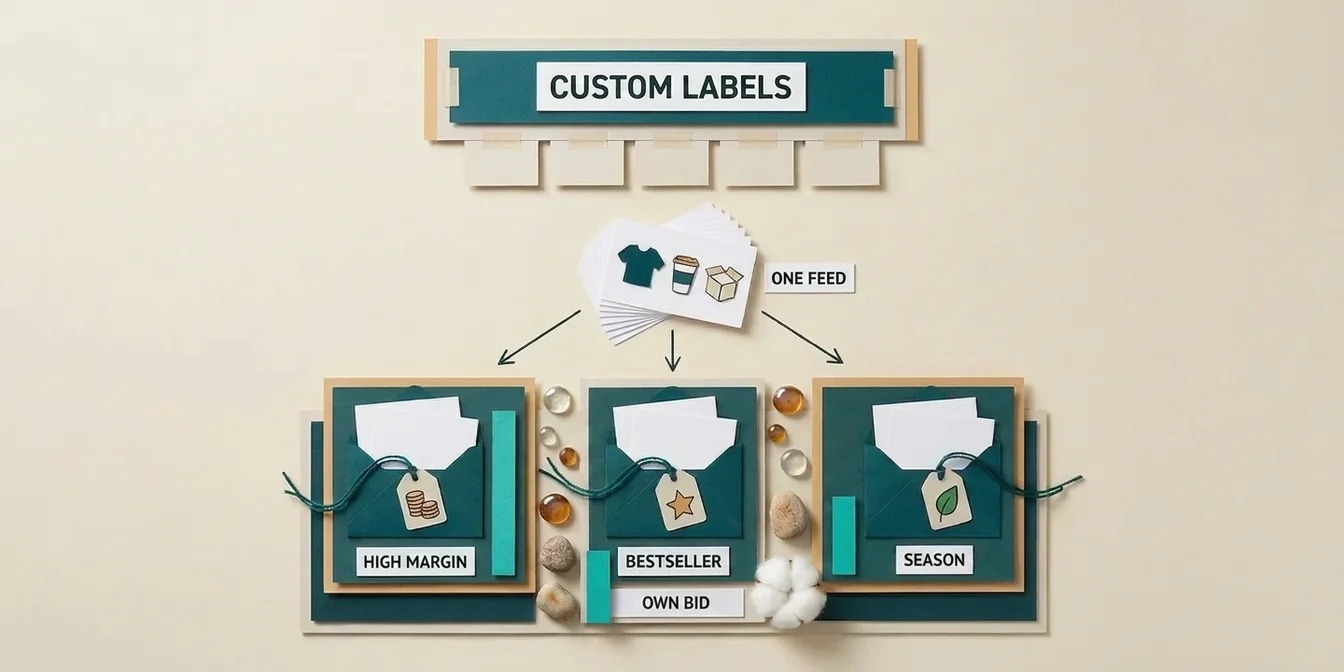
google_product_category: Google's own product taxonomy ID. Without it, Google guesses your product's category. For ambiguous products ("Apple": fruit or electronics?), it often guesses wrong, which hurts ad relevance. The right category is one of the most underrated performance levers.product_type: Your own category hierarchy (e.g.,Shoes > Men > Running Shoes). Unlikegoogle_product_category, you control this freely and can use it for campaign structure and bidding.sale_price: The reduced price. Activates the strikethrough-price badge in ads, which measurably lifts CTR.mpn: Manufacturer Part Number. Combined withbrand, it substitutes for the GTIN on products without a barcode.additional_image_link: Extra product images. More images = higher click probability, especially in the mobile gallery view.product_highlightandproduct_detail: Structured bullet points and technical specs. Feed Google's AI clean, structured data for automated ad creation.custom_label_0throughcustom_label_4: Five free-text fields (up to 100 chars each). Not a matching signal, but indispensable for campaign segmentation (margin, bestseller, season).
The GTIN: The Most Powerful Recommended Attribute
If you perfect just one recommended attribute, make it the GTIN. Per a Google analysis (published via GS1), a correct GTIN can lift a product's conversion rate by up to 20%, because Google can identify the product unambiguously and enrich it with price comparisons, reviews, and Knowledge Graph data. At the same time, invalid GTINs (made-up codes, typos, wrong check digits) are one of the most common disapproval reasons of all. If your product has no GTIN (private label, handmade), set identifier_exists to no and supply brand + mpn instead. Never invent a GTIN. That leads straight to disapproval.
Category-Specific Attributes: Required Depending on the Product
Some attributes are mandatory only for certain product categories: ignore them and you risk disapproval exactly in the categories where they're needed. Apparel is the most important special case.
For apparel & accessories, Google requires these additional attributes in most target markets:
| Attribute | Field name | Example |
|---|---|---|
| Color | color | Navy |
| Size | size | 10, M, XL |
| Gender | gender | male, female, unisex |
| Age group | age_group | adult, kids, infant |
| Variant ID | item_group_id | Shared ID for all sizes/colors of one model |
The item_group_id attribute is the key to variants: it groups all versions of a product (e.g., a t-shirt in five sizes and three colors) into one unit. Without it, your own variants compete against each other and dilute your performance data.
Other category-specific examples:
- Media (books, music, film): GTIN/ISBN is mandatory.
- Energy-related products (EU markets):
energy_efficiency_class, legally relevant when selling into the EU. - Multipacks & bundles:
multipackandis_bundleclarify whether an item is a multi-pack or a set.
Assigning products to the right category reliably and structuring variants cleanly is tightly linked to title optimization: your title and attributes need to tell the same story.
What's Changing for Google Shopping Feed Attributes in 2026
Google expanded the product data specification noticeably in 2026, with concrete deadlines you should keep on your calendar. Adopt the new attributes early and you get a head start before they become the norm.
The most important changes, per Google's 2026 product data specification announcement:
- Live since April 14, 2026: New attributes
video_link(product videos),handling_cutoff_time(order cutoff for same-day handling), andminimum_order_value, plus new loyalty-program shipping labels. At the same time, warnings begin for product images below 500×500 pixels. - Live since June 30, 2026: Videos submitted via
video_linkare eligible to serve; Google validates them for policy and quality. A rejected video does not automatically sink the entire listing. - Starting January 31, 2027: The minimum 500×500-pixel resolution for product images is enforced. Images below that face disapproval. Google intends AI upscaling only as a temporary mitigation; replace undersized images in time.
Practical takeaway: Audit your product-image resolution this quarter. Images below 500×500 px now trigger warnings and become a hard disapproval reason in early 2027. It's the one change that truly affects every feed.
The Most Common Attribute Mistakes and How to Avoid Them
Most feed problems come not from missing attributes, but from wrongly populated ones. Three patterns show up in nearly every audit.
In practice, a noticeable share of many catalogs ends up disapproved or limited, almost always because of attribute errors, not product problems. The three biggest culprits:
- Invalid or missing GTINs. Made-up codes, typos, or omitting
identifier_existson GTIN-less products. Fix: verify the GTIN against the manufacturer, or cleanly setidentifier_exists: no+brand+mpn. - Titles with no attribute logic. Titles that are just the SKU or brand name. Your title should reflect the key attributes (brand, type, core features). Details in the product title guide.
- Empty or generic descriptions. Manufacturer copy-paste or a single sentence. The description is a full matching signal. How to build it properly is in the product descriptions guide.
Google increasingly penalizes incomplete feeds directly in impression eligibility: products missing a GTIN, brand, or accurate category get fewer impressions, even with competitive bids. Completeness isn't a nice-to-have; it's a prerequisite for competing at all.
Maintaining Attributes Without Losing Your Mind
With 50 products, you fill attributes by hand. With 5,000, it becomes Sisyphean, and this is exactly where most optimization efforts stall.
The core problem is scale: finding the right google_product_category for every product, filling in missing color and material values, writing unique descriptions, and grouping variants via item_group_id simply isn't feasible manually across a large catalog. So many merchants ship only the required fields and leave the recommended attributes empty. It's understandable, but it costs measurable reach.
Two strategies help:
- Supplemental feeds instead of editing the primary feed: you add missing attributes in a secondary feed without touching your source data. The supplemental feed guide explains how.
- AI-powered attribute extraction: modern tools read product pages and inventory data and fill missing attributes automatically. The AI feed optimization guide gives the overview.
How FeedOptimizer.AI Helps
Completing thousands of products attribute by attribute is exactly the job FeedOptimizer.AI was built for. Instead of maintaining every field by hand, the AI analyzes each product individually and fills in the attributes Google needs for maximum reach.
FeedOptimizer.AI handles the attribute work automatically and:
- Assigns the correct
google_product_categoryto every product, based on title, description, and inventory data instead of Google's guesswork - Extracts missing attributes like
color,material,gender, orage_groupfrom product data and pages - Writes unique, attribute-rich titles and descriptions instead of manufacturer copy-paste
- Structures
product_highlightandproduct_detailfor stronger AI signals in Performance Max - Delivers everything as a supplemental feed: your original feed stays untouched, and you can revert anytime
The result: a complete, competitive feed in minutes instead of weeks. You can run the numbers on what that means for your reach and cost on the pricing page.
Frequently Asked Questions
Which Google Shopping feed attributes are required?
Required for every product are id, title, description, link, image_link, price, and availability. For most categories, brand, gtin, and condition are effectively required too. Apparel additionally needs color, size, gender, age_group, and item_group_id. Missing required fields cause the product to be disapproved.
What's the difference between google_product_category and product_type?
google_product_category is Google's fixed taxonomy ID and directly influences how Google classifies and serves your product. product_type is your own, freely chosen category hierarchy, mainly used for campaign structure and bidding. You should populate both: google_product_category for relevance, product_type for organization.
Do I need a GTIN for every product?
Not strictly, but it's strongly recommended. Per a Google analysis (via GS1), a correct GTIN can lift conversion rate by up to 20%. If a product has no GTIN (private label, handmade), set identifier_exists to no and supply brand plus mpn. Never invent GTINs. Invalid codes are a leading disapproval reason.
What's changing in feed attributes in 2026?
Since April 14, 2026, there are new attributes like video_link, handling_cutoff_time, and minimum_order_value, plus warnings for images below 500×500 pixels. Since June 30, 2026, product videos are eligible to serve, and starting January 31, 2027, the minimum 500×500-px image resolution is enforced.
How do I maintain attributes for thousands of products efficiently?
Manual work doesn't scale across large catalogs. Use supplemental feeds to add missing attributes without touching the primary feed, and AI tools for automatic attribute extraction and categorization. That way you fill the recommended and category-specific attributes too, instead of shipping only the required fields.
Conclusion: Attributes Are the Levers, Not the Chore
Feed attributes are often misread as a bureaucratic checklist. In reality, they're the most direct lever on your Google Shopping reach: every additional clean attribute is one more signal that gets your product into more relevant auctions.
The five key takeaways:
- Required fields are the start, not the goal:
brand,gtin, andconditionbelong in practice. - The GTIN is your strongest lever: correct identifiers can lift conversion rate by up to 20% per a Google analysis (via GS1).
- Don't ignore category-specific attributes: for apparel,
color,size,gender, anditem_group_idare mandatory. - Plan for the 2026 deadlines: especially the 500×500-px image rule, which affects every feed.
- Automate at scale: supplemental feeds and AI make completeness realistic in the first place.
The easiest start: export your feed, filter for products missing a GTIN, brand, or category, and close those gaps first. It's the optimization with the best effort-to-payoff ratio you can ship this week.