What does feed automation mean in 2026?
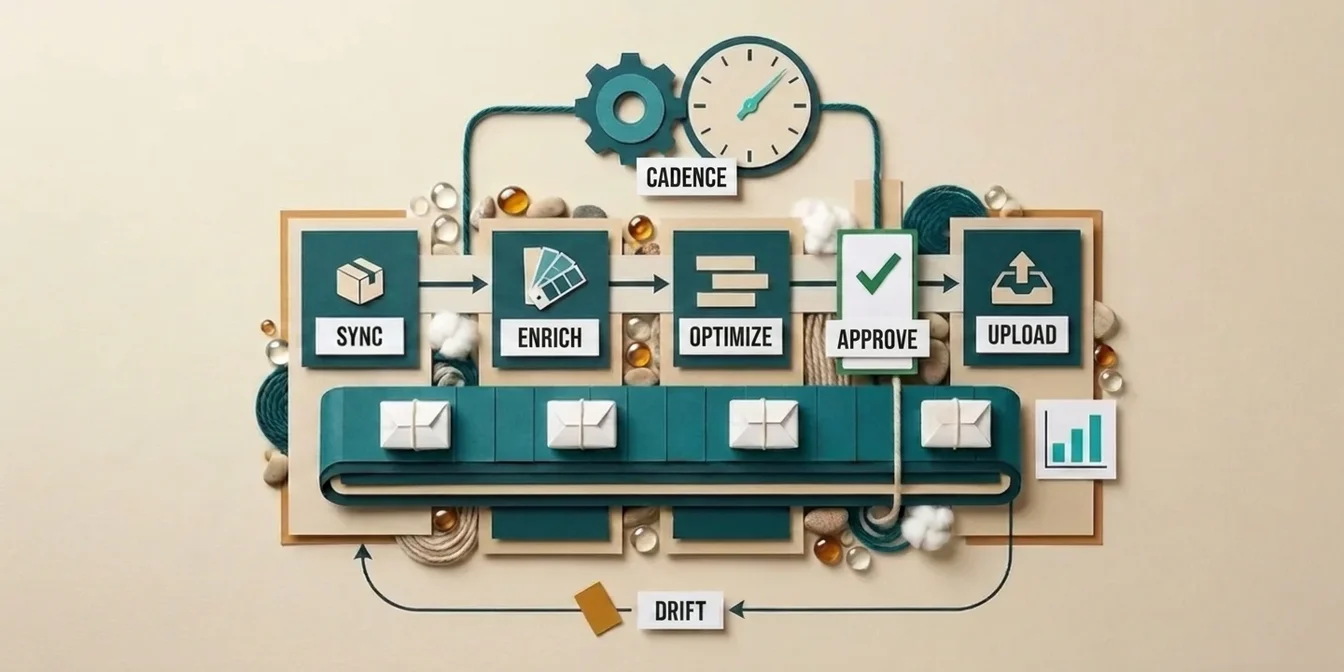
Feed automation is the end-to-end chaining of every step that maintains a product feed: syncing, normalization, enrichment, AI optimization, approval, and upload, so they run on a fixed cadence without manual intervention. Instead of hand-fixing titles once a quarter, an automated workflow keeps thousands of products fresh, Merchant Center-compliant, and search-optimized every day.
The difference from 2023 is maturity: in 2026, feed tools are no longer plain "data formatters"; they're automation engines, compliance guards, and time savers all at once. According to Ryze AI, AI-powered feed automation cuts manual feed work by 85% while increasing visibility 3–4x (Ryze AI, 2026).
This guide walks through the six automation layers, which tool covers which layer, the "rule vs. supplemental vs. AI" decision framework, and the concrete 2026 workflow setup, including the deadline that affects every merchant uploading programmatically this year.
The 6 layers of an automated feed workflow
A fully automated feed runs through six layers. Each solves a different problem, and most merchants automate only two of them, then wonder why performance stalls.
| Layer | Job | Automation type |
|---|---|---|
| 1. Sync | Pull fresh product data on a cadence | Schedule (daily) |
| 2. Normalization | Deterministic transforms, compliance | Feed rules |
| 3. Enrichment | Fill missing attributes, color, material, GPC | AI extraction |
| 4. Content optimization | Generate titles, descriptions, highlights | AI (multi-pass) |
| 5. Review | Approve / reject before going live | Human-in-the-loop |
| 6. Upload & drift | Push supplemental feed, watch source changes | Event-driven |
The first two layers are classic feed maintenance. Layers 3 and 4 are the AI lever that has delivered the biggest performance jump since 2024. Layer 5 keeps faulty automation from going live, and layer 6 closes the loop: as soon as source data changes, the system detects the drift and re-triggers only the affected products.
The rule of thumb: don't automate what you do best, automate what you do least often. Re-optimizing new products and syncing prices daily are exactly the tasks that get reliably forgotten by hand, and that's where the biggest automation payoff lives.
Rule, supplemental feed, or AI? The decision framework
Not every feed problem belongs on the same layer. Patching a data-quality gap with a feed rule just builds technical debt. Sort each problem by its root cause:
- Data-quality problems → fix at the source. Wrong prices or missing GTINs in your store system belong in the store system or PIM, not in the feed.
- Bulk reformatting → feed rules. Append currency, normalize capitalization, set required attributes: deterministic and identical for every product.
- Per-product patches needing external data or content quality → supplemental feed + AI. Optimized titles, generated descriptions, extracted attributes.
- Policy disapprovals → outside the feed. Trademark or content violations can't be solved with a feed edit, see common feed errors and how to avoid them.
Feed rules suit small feeds and straightforward tasks. With thousands of SKUs, pure rule sets become unmaintainable: every exception needs a new rule, and the system grows exponentially. That's exactly where AI takes over: it understands product context instead of running rigid if-then logic. The practitioner's guide to AI feed optimization shows how that works in detail.
What an automated sync cadence should look like
An automated feed lives or dies by its cadence. Google doesn't mandate a fixed hourly cadence, but it does require freshness: your feed data should stay in sync with your website, with price and availability changes reflected as soon as possible, or you risk mismatch disapprovals up to account suspension.
The battle-tested cadence for 2026:
- Master-data sync nightly: the full catalog reconciles against your store system once a night. New products land as "not optimized," deleted ones drop out.
- Price and availability more often: through a supplemental feed, which processes faster than the large primary feed. That lets you update thousands of SKUs without resubmitting the whole catalog.
- Optimization event-driven, not scheduled: new products are optimized automatically the moment they sync in. Existing optimizations stay frozen until you actively re-trigger them.
The third point is the most important and most commonly botched: a nightly pipeline that blindly overwrites all optimizations destroys more value than it creates. Robust automation separates master-data sync (volatile, automatic) from content optimization (stable, user-driven).
The 2026 tool landscape: who does what?
There is no single feed tool: there are tool categories that cover different layers. Confuse them and you'll buy a multi-channel distribution tool, then wonder why the AI optimization is weak.
| Tool category | Strength | Weakness |
|---|---|---|
| Multi-channel distributors | Push feed to many channels (Meta, TikTok, Pinterest) | AI optimization often just an add-on |
| Feed-rule managers | Deterministic bulk transforms | No content quality |
| AI-first optimizers | Generate titles, descriptions, attributes, GPC | Usually focused on Google Shopping |
| Merchant Center native | Diagnostics, feed rules, disapproval monitoring | No true AI content generation |
In practice, merchants combine two layers: a distribution or rule tool for delivery and compliance, plus an AI-first optimizer for content quality. For a detailed side-by-side of the major vendors, see the feed management tools comparison 2026.
What measurably matters in 2026: according to Ryze AI, automated feed enhancement with AI targeting and real-time adjustments drives 30–44% higher ROI across Google Shopping, Meta, and marketplaces (Ryze AI, 2026). And stores with near-complete attribute data ("Golden Record," 99.9% completion) see 3–4x higher visibility in AI-driven recommendations, per eFulfillment Service (eFulfillment Service, 2026).
The mandatory 2026 deadline: Content API shutdown on August 18
If you upload your feed programmatically, one hard deadline hits you in 2026: Google shuts down the Content API for Shopping for good on August 18, 2026. After that, systems still running on it simply stop working: products no longer update and drop out of Merchant Center due to stale data.
Important context:
- This affects only merchants uploading programmatically via the Content API. If you use scheduled fetch (a file pulled from your server), manual upload, or Google Sheets, this deadline doesn't apply to you.
- The migration moves you to the new Merchant API. The beta version (v1beta) was already shut down on February 28, 2026.
- For complex setups, plan 16 to 20 weeks of migration time (ALM Corp, 2026).
In parallel, Google introduced new attributes: handling_cutoff_time and minimum_order_value have been usable since April 14, 2026, while video_link serving and policy enforcement took effect on June 30, 2026. A well-automated feed workflow picks up new fields like these through the enrichment layer, so you don't hand-maintain every column.
Human-in-the-loop: why full autopilot fails
The most tempting and most dangerous automation is the one without human approval. Across 10,000 products, even a 98%-accurate AI still produces 200 faulty outputs, and one of them could be a trademark violation or an embarrassing phrase in your live feed.
The robust workflow is human-in-the-loop:
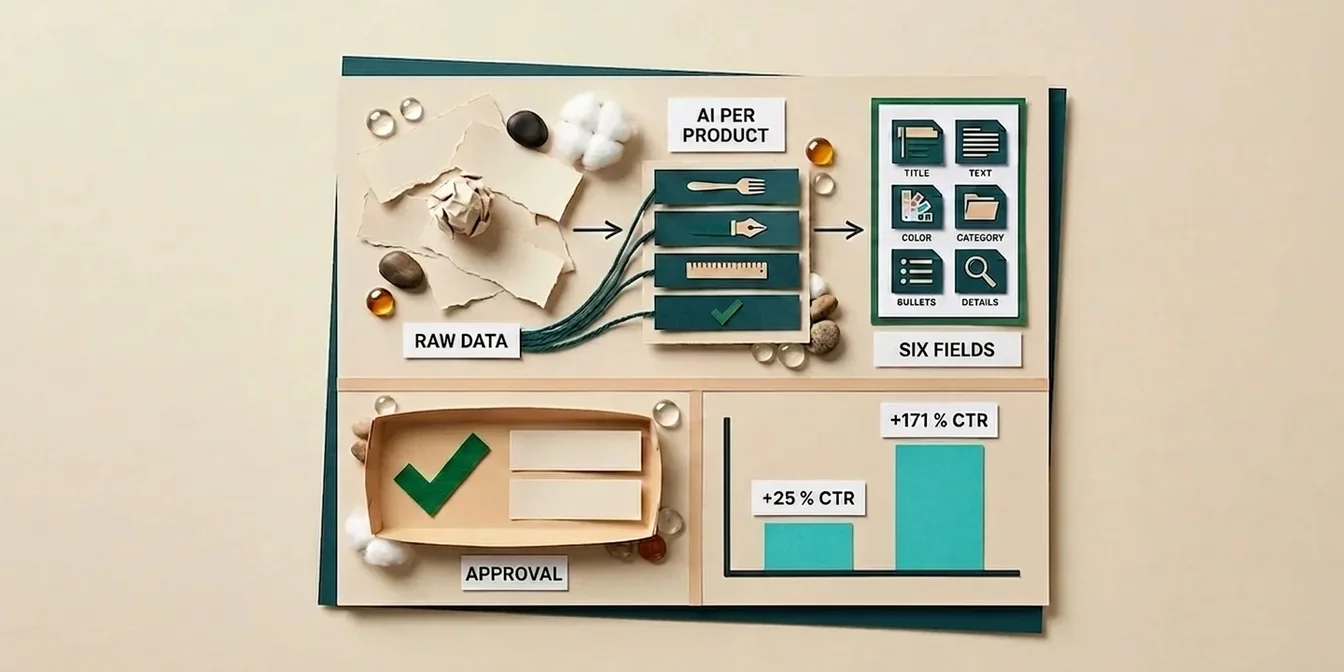
- AI generates the optimization suggestion per product
- Review shows original vs. suggestion side by side
- Approve / reject / edit per product or by bulk filter
- Upload only approved products to the supplemental feed
The trick against the scaling bottleneck is bulk filters. With a rule like "all apparel products with quality score over 85," you approve thousands of suggestions in seconds without a single product going live unseen. The human check stays in place without becoming the bottleneck, and the effort per product actually drops as your catalog grows.
This step is what separates serious automation from "fire-and-forget" toys. Unchecked full autopilot tends to amplify existing product-data quality problems rather than fix them.
Drift detection: the often-forgotten final piece
The last automation layer is the one almost everyone overlooks: what happens when the merchant changes their original product data after you've optimized? Without drift detection, your optimization quietly keeps running on stale inputs.
Robust drift detection periodically compares the real source data against a clean baseline and flags only the products that actually changed. Only then, and only for those products, is a re-optimization offered. That keeps three things healthy at once:
- Freshness: changed originals flow back into optimization
- Stability: working optimizations don't get overwritten by a sync
- Cost: only what truly changed gets re-optimized, not the whole catalog
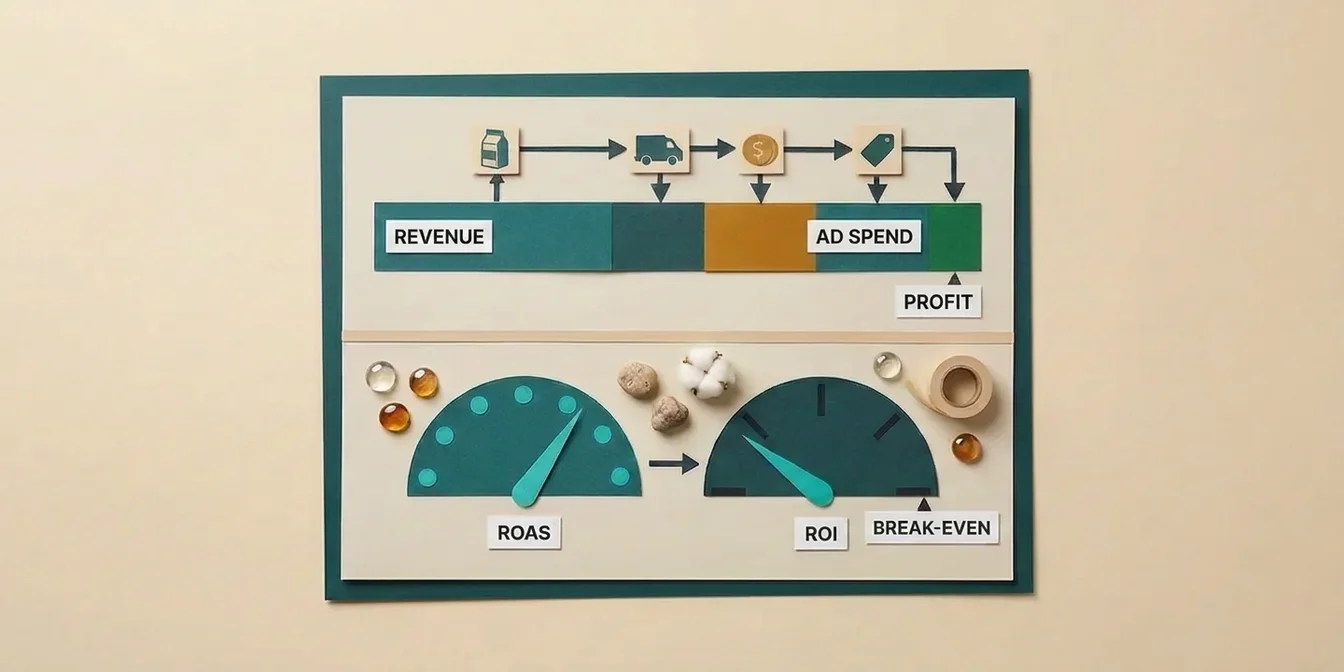
That's the difference between automation that shines once and automation that delivers stable performance for months. If you want to measure the impact cleanly, calculate your Google Shopping feed ROI before you start.
How FeedOptimizer.AI implements feed automation
FeedOptimizer.AI automates the four AI-heavy layers (3 through 6) and integrates cleanly with your existing sync and rule layer:
- Nightly auto-sync pulls fresh product data and detects new arrivals automatically
- AI enrichment fills missing attributes, color, material, and the deepest matching Google Product Category
- 4-pass AI pipeline with category-specific prompts across 12 product domains, no "one-size-fits-all" optimization
- Workbench review with before/after comparison, bulk approve, and inline edit
- Supplemental feed upload straight into Merchant Center: your original feed stays untouched (how supplemental feeds work)
- Drift detection watches source changes and re-triggers optimization only for affected products
Because the upload runs as a supplemental feed, the automation is low-risk: if an optimized value is rejected, the product falls back to the original. For how this plays into Performance Max, read the guide on Performance Max feed quality.
The automated workflow in 4 steps
- Connect your feed: link Google Merchant Center via 2-click OAuth
- Enable automation: turn on auto-optimization for new arrivals and drift detection
- Set a review rule: define bulk-approve filters (e.g., score threshold per category)
- Let it run: new and changed products get optimized, reviewed, and uploaded as a supplemental feed automatically
Frequently Asked Questions
What's the difference between feed automation and feed optimization?
Feed optimization is improving individual product data (titles, descriptions, attributes). Feed automation is the overarching workflow that runs that optimization (plus sync, enrichment, review, and upload) on a fixed cadence without manual intervention. Automation is the delivery system; optimization is the cargo.
Do I still need feed rules if I use AI optimization?
Usually yes: the two work side by side. Feed rules handle deterministic bulk transforms (currency, compliance, required attributes); AI handles content quality (titles, descriptions, categories). AI doesn't replace rules for purely mechanical reshaping; it solves the tasks where static rules break down.
Do I need to act on the 2026 Content API shutdown?
Only if you upload programmatically via the Content API. Then August 18, 2026 is the hard deadline to migrate to the Merchant API. If you use scheduled fetch, manual upload, Google Sheets, or a tool that handles the migration for you, you're not directly affected; confirm with your feed vendor if in doubt.
How often should an automated feed update?
Google doesn't mandate a fixed hourly cadence, but it does require your feed data to stay in sync with your website, with price and availability changes reflected as soon as possible. In practice, at least a daily master-data sync has proven reliable. A supplemental feed lets you update price and availability more frequently without resubmitting the entire catalog.
Can I automate the feed completely without human approval?
Technically yes, but in practice you shouldn't. Across thousands of products, even a very accurate AI produces some faulty outputs. A human-in-the-loop review with bulk filters keeps the check in place without becoming a bottleneck: you approve thousands of products by filter and review only the critical ones individually.
Conclusion: automation is infrastructure in 2026, not an add-on
Feed management has shifted in 2026 from a distribution task into performance infrastructure. The merchants who win don't just automate the sync: they chain all six layers from sync through drift detection.
The three takeaways:
- Automate the rare, not the easy. Re-optimizing new products and syncing prices daily are the tasks forgotten by hand, and they deliver the biggest automation payoff.
- Separate volatile from stable. Master-data sync is automatic and overwriting; content optimization is stable and user-driven. Don't blend the two in a blind nightly pipeline.
- Human-in-the-loop stays mandatory. Bulk filters keep review fast without abolishing it: that's what separates serious automation from fire-and-forget.
Start by automating your new arrivals: let every newly synced product get optimized, approved by bulk filter, and uploaded as a supplemental feed. That's the workflow with the best effort-to-payoff ratio and the entry point to a feed that maintains itself.
Automate your first 200 products free with : no credit card, no risk, and without touching your original feed.