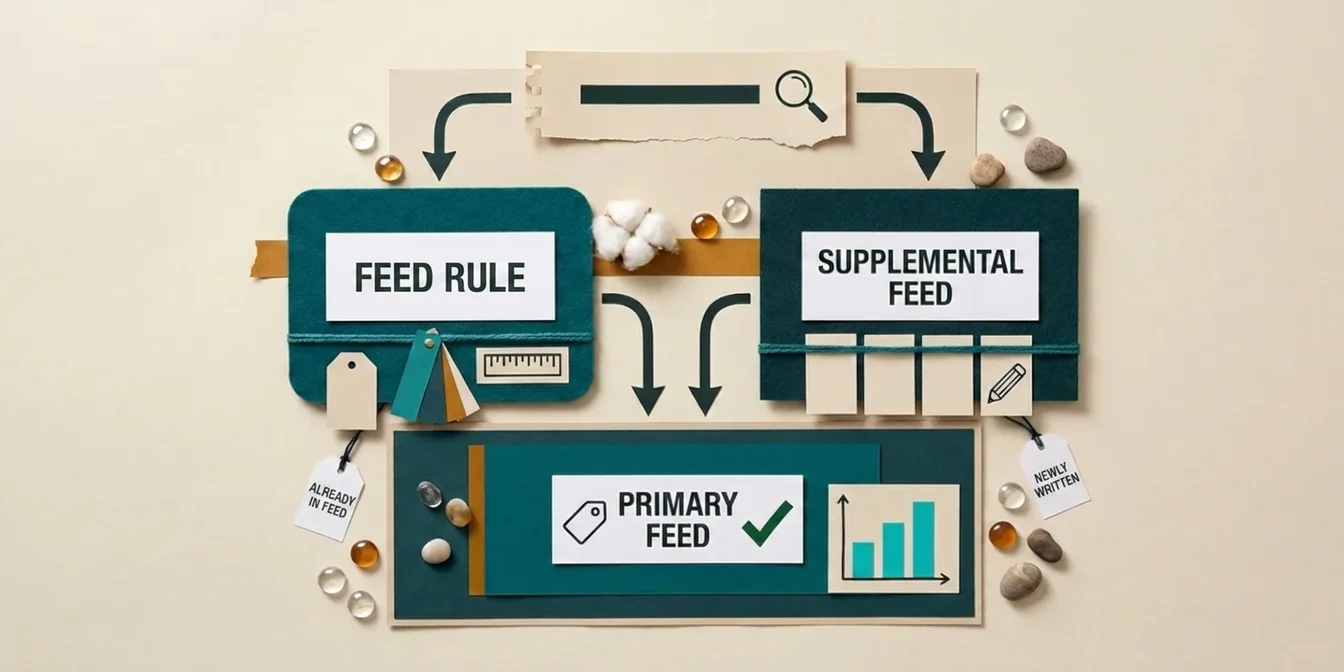
If the correct value already sits somewhere in your feed, a feed rule is enough. If the value has to be created first, a rewritten title or an AI-generated description, you need a supplemental feed. That single distinction decides the tool choice, not catalog size, not personal preference.
There is a reason to settle this now. Since August 18, 2026, Google has permanently shut down the Content API for Shopping. Every programmatic product data upload now moves through the Merchant API. Feed rules are not directly affected. They have always lived exclusively inside the Merchant Center UI and were never available through either API. Still, a lot of teams are rebuilding their feed architecture around this cutover, and that is exactly when the rule-versus-supplemental-feed question comes up.
What feed rules actually do
Feed rules, renamed Attribute Rules in Merchant Center Next, transform only data that already exists in your feed. They cannot add a single externally generated attribute, no AI-written line, no value pulled from a product page. They run on if-then logic, combinable with AND and OR, using a fixed set of functions: set a value or set a list, take the latest value (price and availability only), extract text, prepend or append, standardize unsupported values, find and replace, calculate (multiply, divide, add, subtract), split and select from comma-separated lists, edit URLs, or clear a value.
That covers a lot of routine work: pulling a brand out of a SKU into the title, mapping inconsistent color values onto Google's accepted list, stripping disallowed characters, calculating a sale price from the original. What it does not cover: Google's own documentation states rules can only be created inside Merchant Center, never through an API. Like a supplemental feed, they cannot add or remove products. Setting a genuinely custom value per individual product, one that cannot be derived from a condition on existing fields, is barely practical with rules. Feedonomics puts the boundary plainly: feed rules suit smaller feeds and straightforward tasks, and at several thousand SKUs they get hard to manage and debug.
What a supplemental feed does that a rule cannot
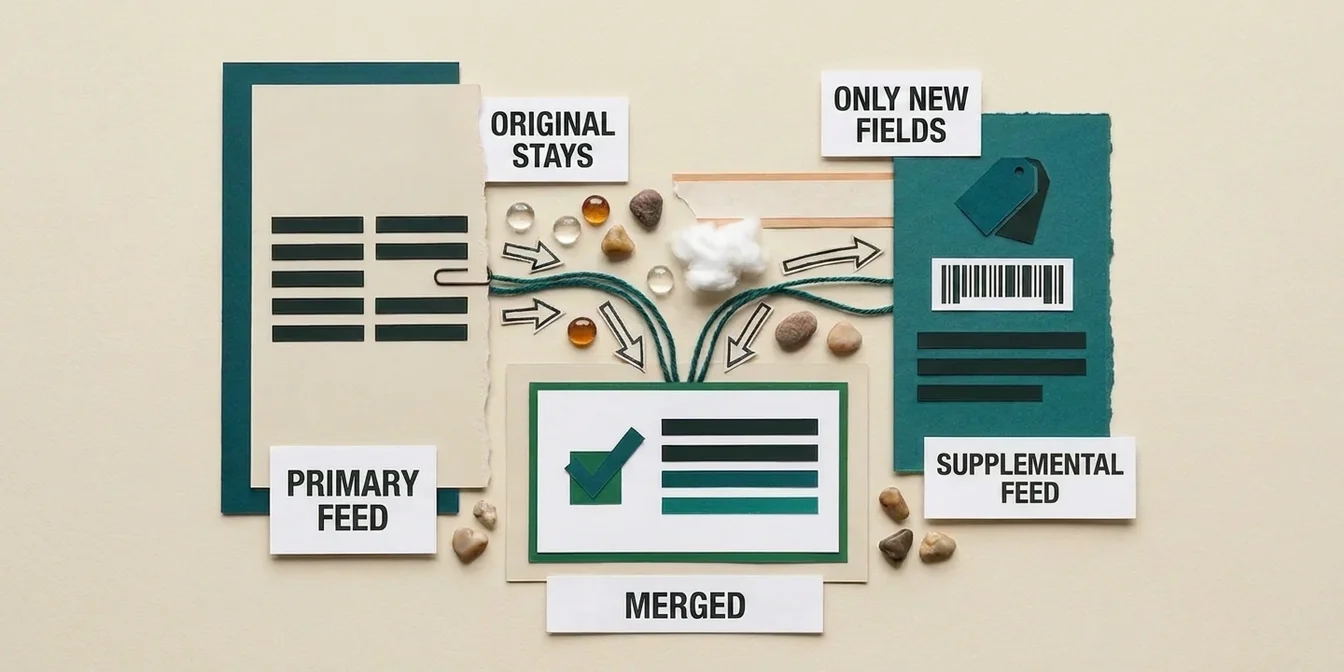
A supplemental feed is a second, independent data source that links to your primary feed by product ID and overwrites or adds specific attributes there. In Merchant Center Next it is called a supplemental source. The decisive difference from a rule: the content can come from anywhere, a Google Sheet, a scheduled server fetch, a manual upload, or an AI model that writes the text from scratch, with no version of that text ever having existed in the primary feed. For the mechanics of setting one up, from column structure to ID matching, see the supplemental feed guide.
The same ceiling applies here too, and it is easy to miss: a supplemental feed cannot create new products, only enrich existing ones. Merchant Center Next lets you run several supplemental sources in parallel, as long as they do not conflict on the same attribute for the same product. A supplemental feed is a correction and enrichment layer, not an excuse for a broken primary feed.
A real example: same symptom, two different fixes
Take an apparel retailer with titles like T-Shirt Basic, no brand, no color, no audience. Two different starting points produce the same-looking symptom but need completely different fixes.
Case A: the information already lives in the feed, just not in the title. Brand sits in the brand field, color in color, audience can be derived from product_type. A feed rule handles this: extract brand, color, and the relevant part of product_type, prepend them to the existing title in a fixed order, done. The rule reapplies automatically on every feed fetch, with nobody touching it again.
Case B: the information does not exist anywhere in structured form. No color field populated, product_type empty, the details only live in body copy or an image on the product page. A rule has nothing to extract here, because nothing extractable is in the feed. This has to go through a supplemental feed: some process, AI extraction or manual research, reads the missing attributes, writes a complete new title, and delivers the result to Merchant Center as a second data source. The primary feed stays untouched if the extraction gets a handful of products wrong.
Most catalogs sit somewhere between the two cases. Part of the inventory has usable raw data and only needs a rule, another part needs genuine rewriting. Teams that rely on feed rules alone end up optimizing Case A only and leave Case B, usually the larger and more valuable share of the catalog, untouched.
The decision framework
| Criterion | Feed rule (Attribute Rule) | Supplemental feed |
|---|---|---|
| Data source | Only values already in the feed | Anything, including AI-generated or external data |
| Stored in | Merchant Center only | Its own file, sheet, or API push |
| Can add new products | No | No |
| Can use external/AI data | No | Yes |
| Reusable across channels | No, Google-specific | Yes, it is just data |
| Rollback | Disable the rule | Remove the feed, original values apply instantly |
| Best fit for | Cleaning, standardizing, calculating | Rewriting, enriching, categorizing |
The shortcut is simple: if you can read the correct value straight off the feed without extra research, a rule is enough. If you have to think, write, or research first, you need a data source that does that work upstream, and that arrives in Merchant Center as a supplemental feed.
Do the two run together?
Yes, and in practice that is the norm, not the exception. Google explicitly allows applying Attribute Rules on top of a supplemental feed for extra granularity, for example separate rule sets for price updates versus availability updates. A common setup: the supplemental feed delivers the AI-generated title, and a rule downstream only standardizes capitalization or strips a disallowed character afterward. The rule handles the last, mechanical step. The supplemental feed handles the actual content work before it.
When a feed rule alone stops being enough
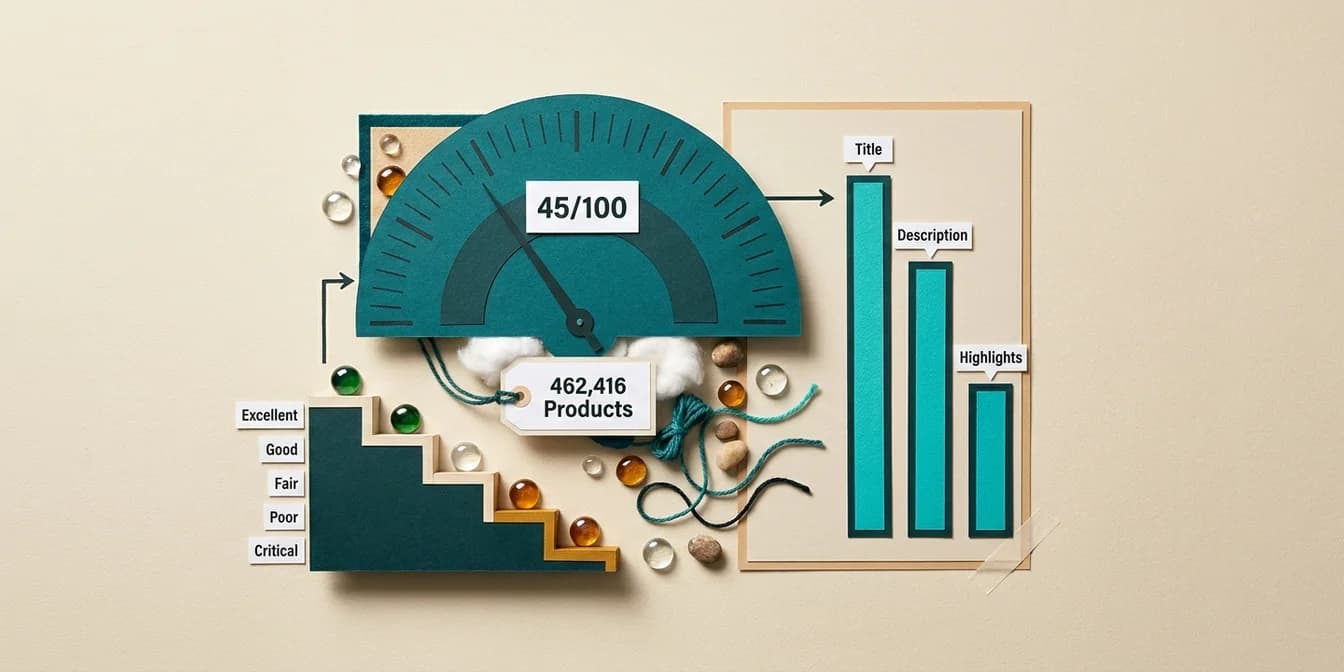
FeedOptimizer.AI benchmark data across 496,603 analyzed products shows an average Feed Quality Score of just 44 out of 100, detailed in the feed error benchmark. A score in that range is not the result of a handful of mistyped values a rule could fix. It comes from missing, thin, or poorly structured content that has to be rewritten. In practice, a noticeably falling approval rate or a price mismatch affecting a growing share of products are the warning signs that a problem is systemic, not a one-off. For how to read and fix specific disapproval reasons in Merchant Center, see the Merchant Center disapprovals guide. Missing or incomplete attributes like color, material, or Google Product Category fall into the same bucket, covered in the feed attributes guide.
How FeedOptimizer.AI takes the decision off your hands
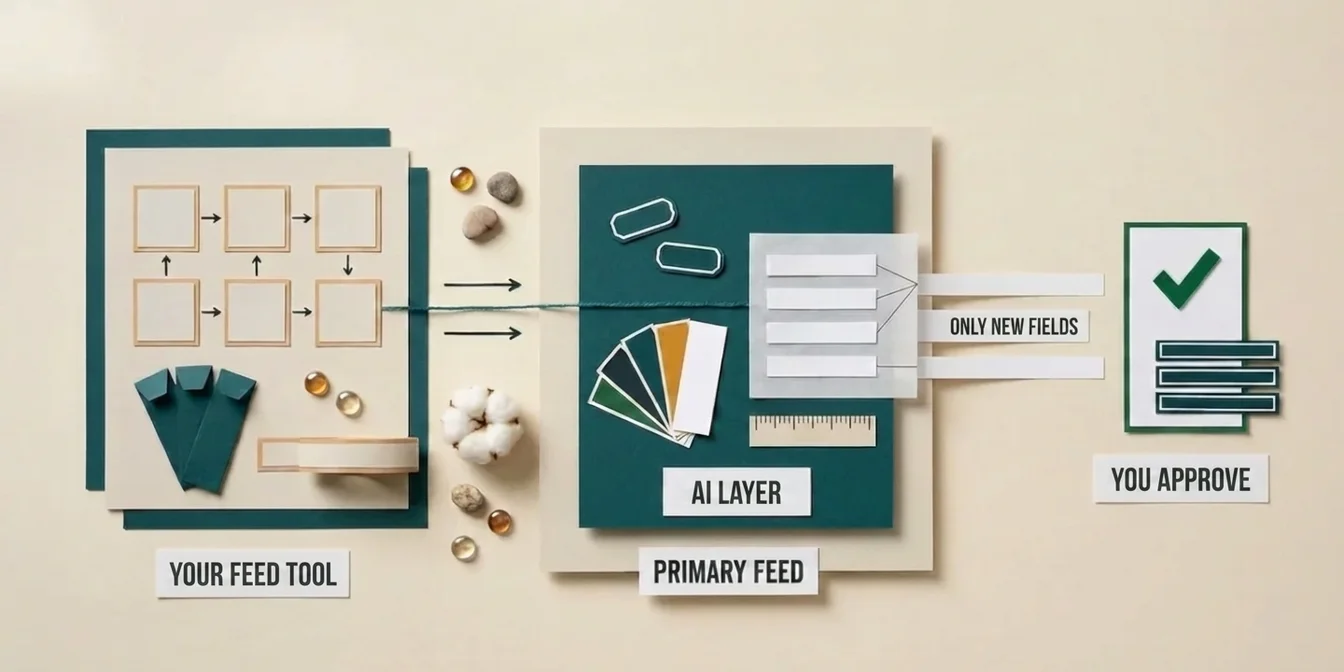
The exact point where feed rules run out, rewriting titles, enriching descriptions, correctly assigning Google Product Category, is exactly where FeedOptimizer.AI starts. The AI generates new content per product, uploads it automatically as a supplemental feed, and leaves your primary feed untouched. No manual CSV export, no ID matching to build yourself, no risk to your live listings, since a rejected optimization falls back to the original value immediately.
and watch the generated values arrive as a supplemental feed in your own account, with no Attribute Rules editor involved.
Frequently Asked Questions
What is the difference between a feed rule and a supplemental feed?
A feed rule transforms only values that already exist in your feed, directly inside Merchant Center. A supplemental feed delivers entirely new or externally generated values, such as AI-written text, through a second data source.
Can I use feed rules and a supplemental feed at the same time?
Yes. Google allows Attribute Rules to apply on top of a supplemental feed. A common pattern is having the supplemental feed supply the content and a rule afterward clean up formatting details.
What are feed rules called in Merchant Center Next?
Feed rules are now called Attribute Rules, and supplemental feeds are called supplemental sources. The mechanics stayed the same, only the naming and the interface changed.
Can a supplemental feed add new products to the feed?
No. Neither a supplemental feed nor a feed rule can add or remove products. Both tools only change attributes on existing products from the primary feed.
When do I need a supplemental feed instead of a feed rule?
Whenever the correct value does not exist in your feed yet and has to be created, such as a rewritten title, an enriched product description, or an AI-assigned Google Product Category.
Bottom Line
Feed rules clean up what is already there. Supplemental feeds bring in what is still missing. Do not size the decision by your catalog, size it by one question: does the right value already exist somewhere in your feed, or does it still need to be written.